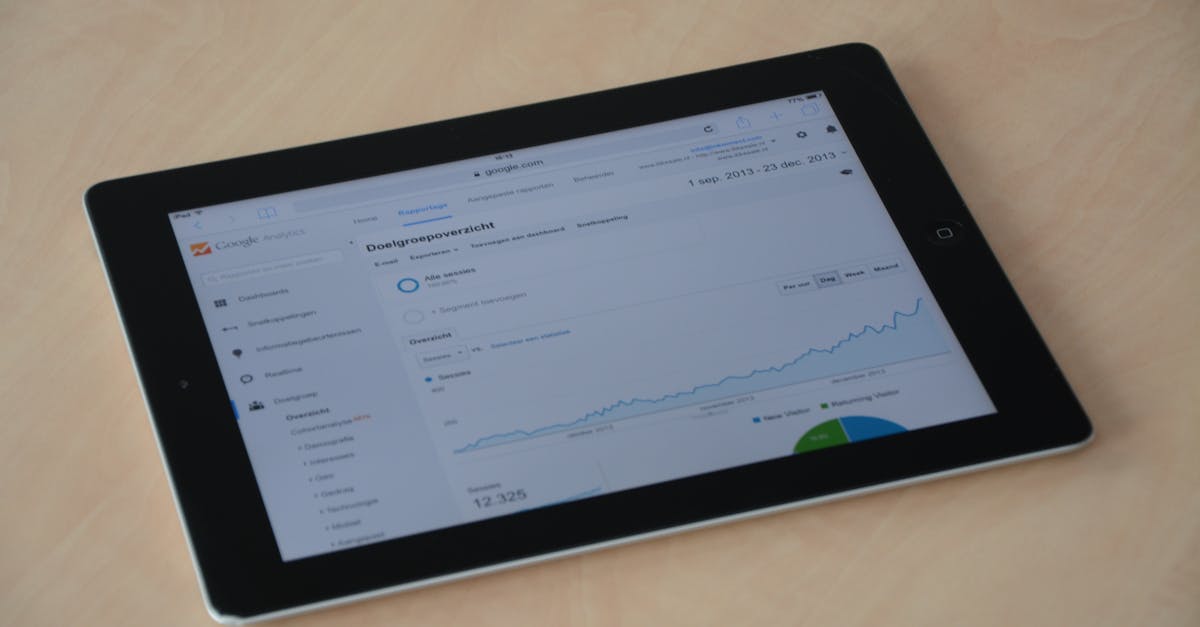
SEO Reporting: How to Show Results to Clients and Stakeholders
Good SEO reporting tells a clear story about business impact. Here's how to build reports that clients and stakeholders actually understand and value.

Key Takeaways
- The most common SEO reporting mistake is leading with vanity metrics (rankings, impressions) rather than business outcomes (leads, revenue, conversions)
- Reports should be structured around three questions: what did we do, what happened as a result, and what do we do next?
- Frequency matters: monthly reports for ongoing campaigns, quarterly reviews for strategic assessment, weekly check-ins only when there is an active technical issue to monitor
- Honest reporting — including metrics that did not move — builds more trust than cherry-picking wins
There is a version of SEO reporting that exists purely to justify the retainer. It is full of green arrows, trending graphs, and impressions numbers in the millions. Clients nod along, do not quite understand what they are looking at, and eventually wonder why enquiries are flat despite all those impressive-sounding figures.
There is a better version. It is clearer, more honest, and directly connected to the thing the client actually cares about: whether investing in SEO is making their business more money.
This guide is about building that second kind of report — whether you are a freelancer or agency reporting to clients, an in-house SEO professional reporting to directors, or a business owner wanting to track your own progress properly.
Why Most SEO Reports Fail
SEO reports fail for a handful of recurring reasons.
Too much data, not enough insight. A 40-slide deck covering every metric in Google Search Console and GA4 tells no story. Decision-makers switch off. The job of an SEO report is to distil a month's worth of data into three to five clear points.
Wrong metrics for the audience. A CFO does not care about domain authority. A marketing director does not need a crawl error breakdown. An operations manager wants to know whether the website is generating leads. Match metrics to the audience's priorities.
No context for the numbers. A ranking change from position 12 to position 8 is meaningless without knowing the search volume of that keyword and whether the improvement has moved traffic. Numbers need context to become insights.
No narrative about what changed and why. SEO does not happen in a vacuum. Algorithm updates, competitor actions, seasonal patterns, and your own work all affect the data. A report that shows a traffic dip without explaining it creates anxiety and erodes trust.
No clear next steps. Reports are not just historical documents. They should end with a prioritised list of what you are doing next and why — giving the client or stakeholder confidence that the work is progressing.
An AgencyAnalytics survey of 250 agencies found that clients who receive monthly reports are 35% less likely to churn within 12 months than those who receive quarterly-only updates. The act of regular communication matters as much as the content of the report.
The Three-Question Report Structure
Every SEO report, regardless of length or audience, should answer three questions:
1. What did we do? A concise summary of the work completed in the reporting period. Not every task — the significant work that moved the needle or laid groundwork.
2. What happened as a result? The performance data, with context. Not every metric — the ones that connect to business outcomes and reflect the work done.
3. What are we doing next? The prioritised plan for the next period, with brief rationale. This turns the report into a forward-looking document rather than just a history.
This structure works for a one-page email update to a small business owner and for a 20-slide quarterly review with a board. The depth of each section changes; the framework stays the same.
Sample One-Page Report Template
For smaller clients or less complex campaigns, a one-page monthly report is often more effective than a detailed dashboard. Here is a practical structure you can adapt:
[Client Name] — SEO Monthly Update — [Month Year]
| Section | Content |
|---|---|
| Work completed | 3–5 bullet points: pages published, technical fixes, links earned |
| Headline metric | Organic sessions this month vs last month vs same month last year |
| Conversions | Organic leads / enquiries / purchases this month (with comparison) |
| Ranking movements | Top 3 improvements and top 3 declines (with search volume context) |
| Notable observation | One paragraph explaining the most significant data point and why it happened |
| Next month plan | 3 prioritised actions with brief rationale |
| Alert / issue | Any active technical issue or algorithm impact being monitored |
The constraint of fitting everything onto one page forces the discipline of ruthless prioritisation. If a metric does not fit on this sheet, ask whether it actually matters to the client's business goals. Most of the time, it does not.
Choosing the Right Metrics
For Clients Who Care About Leads and Revenue
If the primary goal of the SEO campaign is generating enquiries or sales, your core report metrics should be:
- Organic conversions: form submissions, phone clicks, quote requests, purchases — whatever constitutes a lead or sale on that site
- Organic sessions: overall volume of organic traffic, with month-on-month and year-on-year comparisons
- Conversion rate (organic): organic sessions divided by organic conversions. A flat conversion rate alongside rising traffic means the growth is real. A falling conversion rate deserves investigation.
- Revenue from organic (if e-commerce): most directly tied to business outcome
Rankings and impressions are supporting metrics in this context — useful for diagnosing why conversions changed, but not the headline.
For Clients Who Care About Brand Visibility
For newer businesses, brand-building campaigns, or clients in competitive markets where a long ranking trajectory is expected:
- Keyword ranking positions: tracked for a defined, agreed set of priority keywords
- Impressions from GSC: as a proxy for reach
- Branded search volume: growth in searches for the business name indicates growing awareness
- New vs returning organic visitors: a rising new visitor percentage suggests the audience is broadening
We covered how to connect rankings to business value more deeply in our post on measuring SEO ROI.
For Technical SEO Campaigns
If the current focus is fixing crawlability, page speed, or indexing issues:
- Crawl errors resolved (reported from Google Search Console or your audit tool)
- Core Web Vitals scores: LCP, INP, CLS — before and after
- Indexed pages count: is Google seeing and indexing the right pages?
- Coverage issues: soft 404s, redirect chains, orphaned pages
The rank tracking guide covers how rank data integrates with technical performance tracking as part of a complete picture.
Red Flags in SEO Reports
Knowing what to look for in a suspicious or misleading report protects clients and builds a culture of honest communication. Here are the most common red flags to be aware of — whether you are reviewing your own reports or evaluating a report from an agency.
Rankings shown without search volume. Moving from position 18 to position 12 on a keyword with 10 monthly searches is meaningless. Every ranking movement in a report should be contextualised with the approximate search volume of the keyword.
Impressions growth used as a proxy for success. Impressions can rise sharply when AI Overviews start appearing for your queries — but clicks can fall at the same time. Rising impressions without rising clicks (or at least a stable CTR) is not progress.
No mention of what declined. If a report shows only positive movements, something is being left out. Every site has pages that fell in rankings each month. A trustworthy report acknowledges these and explains them.
Goals not connected to the work shown. "We published 4 blog posts" is not a result. "We published 4 blog posts targeting high-intent queries in our SEO mistakes guide; two are already ranking in positions 8–12 and generating impressions" is a result.
Metrics that changed for external reasons presented as wins. Seasonal traffic increases, competitor withdrawals from the market, and news-driven spikes are real — but they are not SEO results. A competent report distinguishes between what the SEO work caused and what happened independently.
No benchmark context. Month-on-month data without year-on-year comparison is unreliable for seasonal businesses. A florist in February always outperforms January — this is not SEO progress.
Setting the Right Reporting Cadence
Monthly Reports
Monthly is the standard cadence for ongoing SEO campaigns and it works well for most clients. It is frequent enough to show progress and catch issues early, but not so frequent that the data becomes noise (SEO moves slowly; weekly reports often show nothing meaningful).
A monthly report should cover:
- Performance summary (the three questions)
- Key metrics with prior-month and prior-year comparisons
- Notable ranking movements
- Work completed
- Issues or observations
- Plan for next month
Quarterly Reviews
Quarterly reviews are strategic. They step back from the month-to-month detail and assess whether the overall direction is right. Useful for:
- Reviewing keyword strategy (are we targeting the right terms?)
- Competitive landscape assessment
- ROI calculation against the campaign investment
- Resetting or adjusting goals
For agencies, the quarterly review is often the most important meeting of the year — it is where the relationship either deepens or starts to stall. Research from Search Engine Journal suggests that agencies which include a structured quarterly review in their retainer agreements retain clients for an average of 18 months longer than those with monthly-only reporting.
Ad Hoc Reporting
When there is an algorithm update, a significant traffic drop, or a technical issue being actively resolved, communicate proactively rather than waiting for the monthly report. A short email or voice note explaining what happened, your current understanding of why, and what you are doing about it is far better than silence followed by a bad monthly report.
Building Reports in Practice
Google Looker Studio (formerly Data Studio)
For agencies or freelancers with multiple clients, Looker Studio is the professional standard for automated SEO reporting. Connect Google Analytics 4, Google Search Console, and your rank tracking tool as data sources. Build a template once, then replicate it for each client.
Advantages: automated, always up-to-date, shareable via link. Disadvantages: takes time to set up well, can become over-engineered.
Simple Slide Decks or Documents
For smaller clients or less data-intensive updates, a well-structured Google Slides or Word document works perfectly. The constraint of a limited number of slides forces the discipline of choosing only the most important information.
Direct Data from Your SEO Tool
If you and your client both use RnkRocket, the product dashboard gives them direct access to their ranking data, site health scores, and keyword performance. Some clients prefer this transparency — they can see the data themselves at any time and the monthly report becomes a conversation about what the data means rather than a data delivery exercise.
Communicating Algorithm Updates in Reports
Google releases several significant algorithm updates each year, and many more minor updates. When an update coincides with a traffic change, explain it in plain terms.
The right framing is not "Google's algorithm changed so it's out of our control." That reads as excuse-making. The right framing is:
- Here is what the update targeted (cite Google's own communication or a reliable source like Search Engine Land or Google's Search Central blog)
- Here is how our site was affected (positively, negatively, or not at all)
- Here is what this tells us about where to focus next
A Google Helpful Content update that hits your client's site is actually valuable information — it tells you exactly what kind of content work to prioritise. Frame it that way. Our guide on common SEO mistakes small businesses make covers the content quality issues that most commonly surface after Helpful Content updates, and our SEO budget guide can help frame the investment conversation that often follows a traffic drop.
Honest Reporting: Why It Matters More Than Looking Good
The temptation in SEO reporting is to lead with everything that went well and bury anything that did not. Resist this.
Clients and stakeholders are not stupid. They know whether enquiries are up or down. If your report shows green arrows everywhere but their phone is not ringing, they will stop trusting the report — and then stop trusting you.
Honest reporting builds durable client relationships. If rankings dropped, say so and explain why. If a piece of content did not generate the traffic you expected, say so and describe what you will test differently. If an algorithm update is genuinely affecting the site and you are not sure yet how to respond, say so — and give a timeline for when you will have more information.
HubSpot's State of Marketing Report 2024 found that 67% of clients cite "transparency about results and challenges" as the primary factor in trusting their marketing agency. The number one reason clients leave agencies is not poor results — it is feeling uninformed about why results are not meeting expectations.
This kind of transparency is how agency-client relationships last five years rather than five months.
FAQ
How many keywords should I track and report on?
This depends on the business and campaign size, but a practical starting point for a small business is 15–30 priority keywords. These should be a mix of branded terms, core service/product terms, and two or three speculative terms in areas you are actively trying to grow into. Track more keywords in the background for research purposes, but report on the priority set — otherwise the data volume overwhelms the insight.
Should I report on Google Analytics 4 or Google Search Console?
Both, but for different purposes. GA4 tells you what users did when they arrived at your site — conversions, behaviour, time on page. GSC tells you how you appeared in search before the click — impressions, CTR, average position. The most complete picture combines both: GSC for visibility metrics, GA4 for outcome metrics. Use the "Search Console" integration in GA4 to see the full funnel from impression to conversion.
What if the client asks why rankings have not improved after three months?
Be honest and specific. Three months is a realistic timeline to start seeing movement on lower-competition keywords; for competitive terms, six to twelve months is more typical. Show the leading indicators: technical improvements made, content published, links earned. These are the inputs that precede ranking improvements. If leading indicators are strong and rankings are still flat, investigate whether there is a deeper issue (thin content, crawlability problem, algorithm sensitivity) and bring a clear diagnosis rather than a vague reassurance.
Reporting as the Foundation of Client Trust
Effective SEO reporting is not primarily a technical exercise — it is a communication discipline. The agencies and freelancers who retain clients longest are not necessarily those delivering the best rankings; they are those who keep clients informed, set realistic expectations, and make the data legible to non-technical decision-makers. A well-structured monthly report takes 60–90 minutes to produce properly and typically saves far more time in client management conversations. More importantly, it shifts the relationship from one where the client is wondering what they are paying for to one where both parties are aligned on strategy and progress. The three-question framework — what did we do, what happened, what next — is simple enough to apply consistently across every client, regardless of campaign size or complexity. Apply it monthly without exception, and the quality of the client relationship will improve independent of the SEO results themselves.
Related Reading
- Measuring SEO ROI: A Guide for Small Business Owners
- Rank Tracking: Why It Matters and How to Do It Right
- SEO Trends for 2026: What Small Businesses Need to Know
- Common SEO Mistakes Small Businesses Make (and How to Fix Them)
- How Much Should a Small Business Spend on SEO?
Report on What Actually Matters
RnkRocket tracks your rankings, monitors your site health, and shows you how your SEO investment is translating into traffic and visibility — so you always have the data you need for a credible, clear report.